
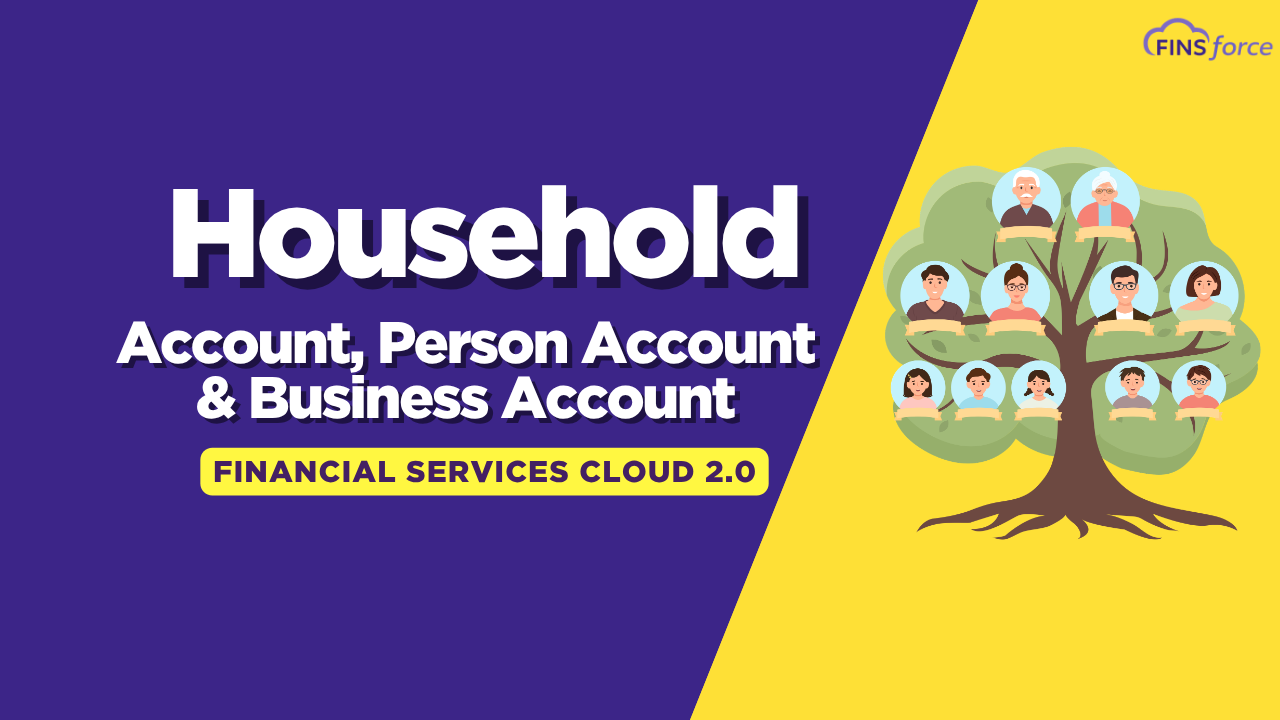
What is Household, Person Account, and Financial Account in Salesforce Financial Services Cloud?
If you’ve ever worked with Salesforce Financial Services Cloud (FSC) and felt confused about the difference between a household, a person account, a business account, and a financial account — you’re not alone! These are some of the most commonly asked questions when getting started with FSC. Let’s break all of this down in a simple, easy-to-follow way, and also walk through how to create each of these in Salesforce.
What is an Account in Salesforce?
Before we dive into the specific types, let’s start with the basics. An account in Salesforce is simply an object where you store information about a company or organization.
For example, if you’re storing information about Amazon, you would save:
- The company name as the account name
- The company address
- Official contact information
That’s your standard account. Pretty simple, right?
Now, the employees of that company — the people who actually work there — their personal details (like mobile number, email address, contact ID) are stored in a separate object called a Contact. This way, you can track who represents a company when dealing with a bank or any other organization.
What is a Person Account?
Now here’s where it gets interesting. Not every customer belongs to a company. Sometimes, a customer walks into a bank as an individual — no company, no organization, just themselves.
For those cases, Salesforce gives us the Person Account.
A Person Account is a combination of both Account fields and Contact fields. It is treated as both an account and a contact at the same time.
So whenever you need to store information about an individual who is not associated with any company, you use a Person Account.
Important Note:
- Person Account is not enabled by default in Salesforce.
- Once you enable it, you cannot disable it, so make sure you really need it before turning it on.
What is a Household Account in Salesforce Financial Services Cloud?
This is where Salesforce Financial Services Cloud really starts to shine. The Household Account is one of the most important concepts in FSC, and understanding it well will help you unlock a lot of powerful features.
Think of a Household as a Family
A household simply represents a family. Let’s say there’s a family called the Verma family. This family includes:
- Grandpa and Grandma
- Dad and Mom
- Uncle and Aunt
- Brothers, Sisters, and Cousins
All of them live under one roof. In Salesforce Financial Services Cloud, this family would be stored as the Verma Household.
How Are Family Members Connected to the Household?
Each individual in the family is created as a Person Account. They are then linked to the household using an Account to Contact Relationship record.
Here’s how that works:
- Create the Verma Household as a Household Account.
- Create each family member as a Person Account (e.g., Rohit Verma, Ravi Verma).
- Create an Account to Contact Relationship record for each person, linking them to the Verma Household.
Once this is done, you get a beautiful 360-degree view of the entire family — all in one place!
Why is the Household Account So Useful?
When a banker or financial advisor wants to understand a family’s overall financial health, they can simply open the household record and see:
- All family members
- Their individual financial accounts
- Total net worth of the family
- Business interests and related organizations
This is made possible using the ARC (Actionable Relationship Center) component that comes pre-built in Salesforce Financial Services Cloud.
What is a Group Account?
Now, sometimes a family doesn’t just have personal finances — they might also run businesses! The Verma family, for example, might own:
- A nonprofit organization
- A law firm
- A family-run business
These businesses are separate account records in Salesforce. When you want to connect these businesses back to the Verma Household, you use an Account to Account Relationship. This creates what’s known as a Group.
So in simple terms:
- Household = the family (connected via Account to Contact Relationship)
- Group = the household + all associated businesses (connected via Account to Account Relationship)
What is a Business Account?
A Business Account in Salesforce Financial Services Cloud works just like a regular company account, but it also supports parent-child relationships between companies.
For example:
- Meta is the parent company
- Facebook, Instagram, WhatsApp, and Messenger are child companies
Similarly:
- Alphabet is the parent company
- Google is the child company
These relationships are maintained using Account to Account Relationships in Salesforce.
What is a Financial Account?
Here’s a question that comes up all the time: “What’s the difference between an Account and a Financial Account?”
Great question! Let’s use an example.
Say Rohit Verma is a customer of a bank and he has:
- A Savings Account
- A Credit Card
- A Loan Account
- A Mutual Fund Investment
Each of these is a separate product that Rohit has purchased from the bank. Each one of these products is stored as a Financial Account in Salesforce Financial Services Cloud.
Why Are Financial Accounts Stored Separately?
Because each product has its own unique financial details:
- A loan has its own fee structure
- A credit card has a different interest rate
- An investment account has its own balance and transaction history
Storing them separately as Financial Accounts allows you to track all of this information accurately for each product.
To summarize:
- Rohit Verma = Person Account (the customer)
- His savings account, credit card, loan, mutual fund = Financial Accounts (the products he owns)
How to Create a Household and Financial Account in Salesforce FSC — Step by Step
Here’s a quick walkthrough of the steps to set everything up in Salesforce Financial Services Cloud:
Step 1: Create the Household Account
- Go to the Retail Banking App and click on Accounts.
- Click New and select Household.
- Fill in the name (e.g., Verma Household), phone number, type, and address.
- Click Save.
Step 2: Create Person Accounts for Family Members
- Click New and select Personal Account.
- Fill in the details for each family member (e.g., Rohit Verma, Ravi Verma).
- Click Save for each person.
Step 3: Link Family Members to the Household
- Go to the Household Record and open the Relationship tab.
- Click Add Relationship in the ARC component.
- Select the household, the contact (family member), their role (e.g., Decision Maker), and whether they are the primary member.
- Click Save.
Note: Only one family member can be marked as the primary member at a time.
Step 4: Create a Business Account and Link It to the Household
- Under the household’s related accounts, click New and select Business.
- Set the parent account to the Verma Household.
- Create a Party Role Relationship to define the relationship type (e.g., Household to Business).
- Mark the relationship as Active and save.
Step 5: Create a Financial Account
- Go to Financial Accounts and click New.
- Enter the account name, number, type, and set it as Active.
- Click Save.
Step 6: Link the Financial Account to a Person Account
- Create a Financial Account Party record.
- Select the person account (e.g., Ravi Verma) and the financial account.
- Define the role and save.
Step 7: Add a Balance to the Financial Account
- Go to the Financial Account record.
- Navigate to the Balance section and create a balance record.
- Once saved, the balance will appear on the person’s profile under Financial Accounts.
Wrapping It All Up
To quickly recap what we covered:
| Concept | What It Represents |
|---|---|
| Account | A company or organization |
| Contact | An individual associated with a company |
| Person Account | An individual customer not tied to a company |
| Household Account | A family unit in Salesforce FSC |
| Group | A household + associated businesses |
| Business Account | A company with possible parent-child relationships |
| Financial Account | A financial product owned by a customer (e.g., loan, savings) |
Understanding these building blocks is really the foundation of working effectively with Salesforce Financial Services Cloud. Once you get comfortable with households, person accounts, and financial accounts, everything else in FSC starts to make a lot more sense.
Want to See This in Action?
If you found this helpful, make sure to check out the full video walkthrough where we go through all of these steps in real time inside Salesforce. It’s always easier to learn when you can see it happening on screen!
Got questions or something you’d like to see covered next? Drop them in the comments below — we’d love to hear from you! And if this post helped clear things up, feel free to share it with your team or fellow Salesforce learners. 😊
